
A quick way to see which dev servers are running locally
I sometimes have a few projects going at the same time. Most of them are running some kind of server. And at some point, one of them won’t start because a port is already taken.
At that moment, I usually don’t know which project is using it.
I could use lsof and search by a specific port, but that assumes I already know which port I’m looking for. What I really wanted instead was a quick way to see all active servers at once, without guessing first.
I also didn’t want to see every background system service macOS happens to be running. I only care about servers I actually started — node, python, things like that.
So I wrote a small bash script that does exactly that.
I just type:
servers
and it shows me a list of:
- ports
- PIDs
- commands
- and the folder the server was started from (which is basically the project)
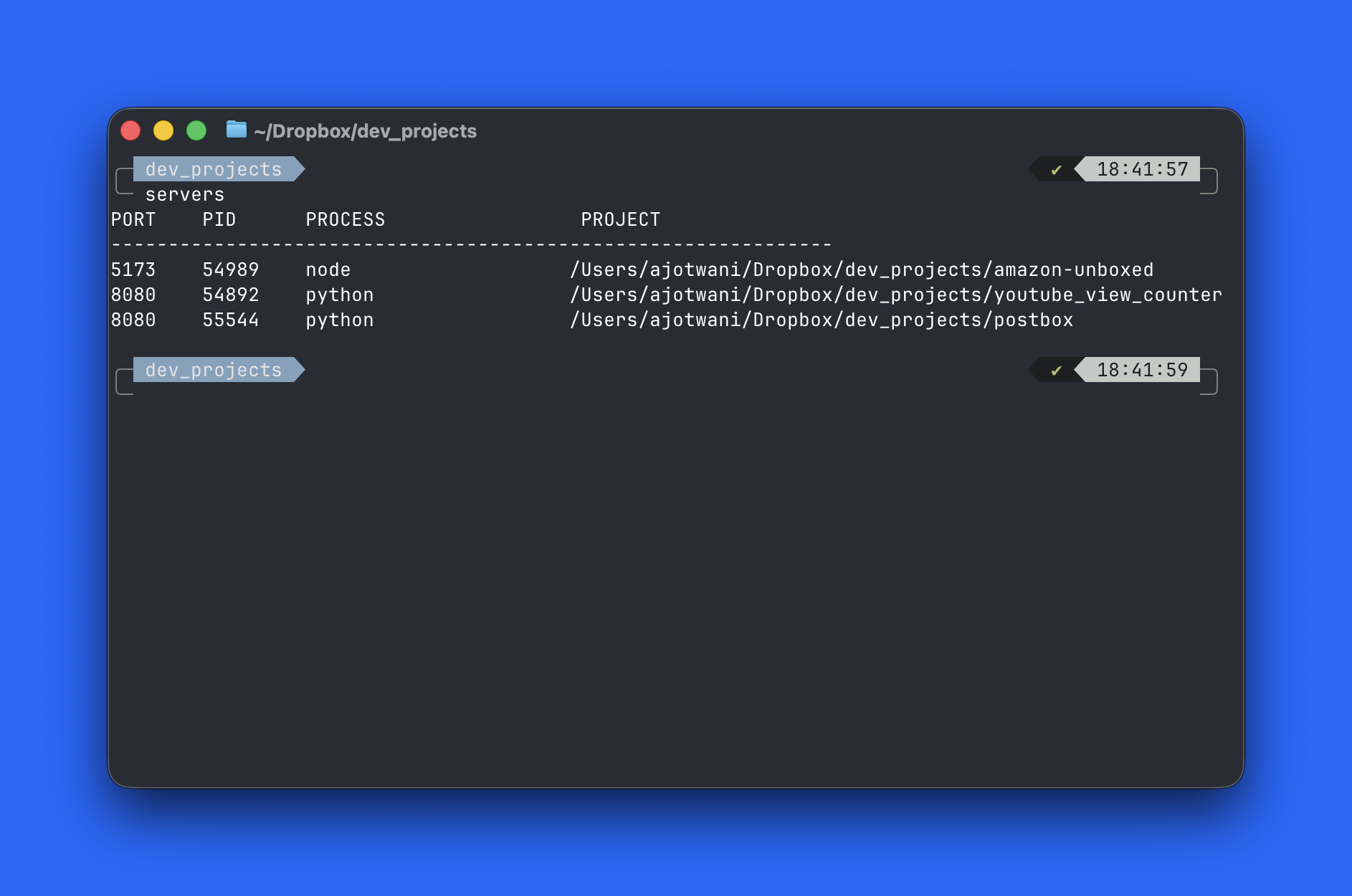
Once I see the one I care about, I kill the PID and I’m done.
No guessing. No hunting. No “what is even running right now?”
The script
Create a file called servers:
nano ~/scripts/servers
Paste this in:
#!/usr/bin/env bash

echo "PORT    PID      COMMAND              PROJECT"
echo "----------------------------------------------------"

lsof -iTCP -sTCP:LISTEN -n -P | awk 'NR>1 {print $2, $9}' \
| awk '
  {
    pid=$1
    addr=$2
    port=addr
    sub(/^.*:/,"",port)
    key=pid ":" port
    if (!seen[key]++) print pid, port
  }
' \
| while read -r pid port; do
    cmd=$(ps -p "$pid" -o comm= 2>/dev/null)
    cwd=$(lsof -p "$pid" 2>/dev/null | awk '$4=="cwd" {print $9; exit}')
    printf "%-7s %-8s %-20s %s\n" "$port" "$pid" "$cmd" "${cwd:-/}"
  done \
| sort -n
Make it executable:
chmod +x ~/scripts/servers
Make it available everywhere (zsh)
In ~/.zshrc, add:
export PATH="$HOME/scripts:$PATH"
Reload:
source ~/.zshrc
How I use it
When something won’t start:
servers
See the PID I care about, then:
kill <PID>
That’s it.
It’s a tiny script, but it removed a recurring bit of friction. Instead of reacting to port conflicts, I can just see what’s running and move on.